
How to Connect Wires to Your Car Radio
Sep 15, 2023
Installing a new car radio can be a big upgrade for your vehicle’s audio system. However, it can also be a bit daunting to tackle if you are not familiar with the process. One of the most critical steps in this process is connecting the wires correctly. Here is a step-by-step guide on how to connect wires to your car radio.
Step 1: Disconnect the negative battery terminal.
Before working with any wires or electronics in your car, it's important to disconnect the negative battery terminal. This will eliminate the possibility of electric shock and protect your vehicle's electronic components.
Step 2: Gather the necessary tools.
To get started, you will need a wiring harness adapter that matches both your car and your radio model, wire strippers, crimping pliers, and electrical tape.
Step 3: Connect the wiring harness adapter.
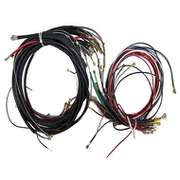
Connect the wiring harness adapter to your car's wiring harness, which is usually located at the back of the factory radio. Match the wire colors to the corresponding wires on the wiring harness adapter. Then, crimp them together using the crimping pliers.
Step 4: Connect the wires to the radio.
Connect the wires from the wiring harness adapter to your new car radio. Typically, you can do this by using a clip-on wire harness to match the standardized wire colors. After matching the wire colors, push them into the clip to secure.
Step 5: Test the connection.
Once everything is connected, test the connection by turning on your car and radio. After that, conduct a thorough sound check to ensure that the audio flows smoothly with no glitches.
Step 6: Secure the connections.
After testing, secure the wire connections with electrical tape before storing everything back in place, preventing them from being pulled apart or loosened by constant vibrations from the vehicle.
Finally, remember to reconnect the negative battery terminal, and you are done. With a little patience and attention to detail, connecting wires to your new car radio can be a simple process. Enjoy your newly upgraded audio system!